
Excel to PDF
Convert your Excel spreadsheets into high-quality PDF documents instantly. Preserving your data integrity.
What Is Excel to PDF?
Excel to PDF is a free online tool designed to turn your spreadsheets (XLS, XLSX, CSV) into professional PDF documents. It locks your formatting, ensuring your tables, charts, and fonts look exactly the same on any device.
How to Convert Excel to PDF Online (Step-by-Step)
Upload your Excel file
Click the "Select Excel files" button or drag and drop your spreadsheets into the upload box.
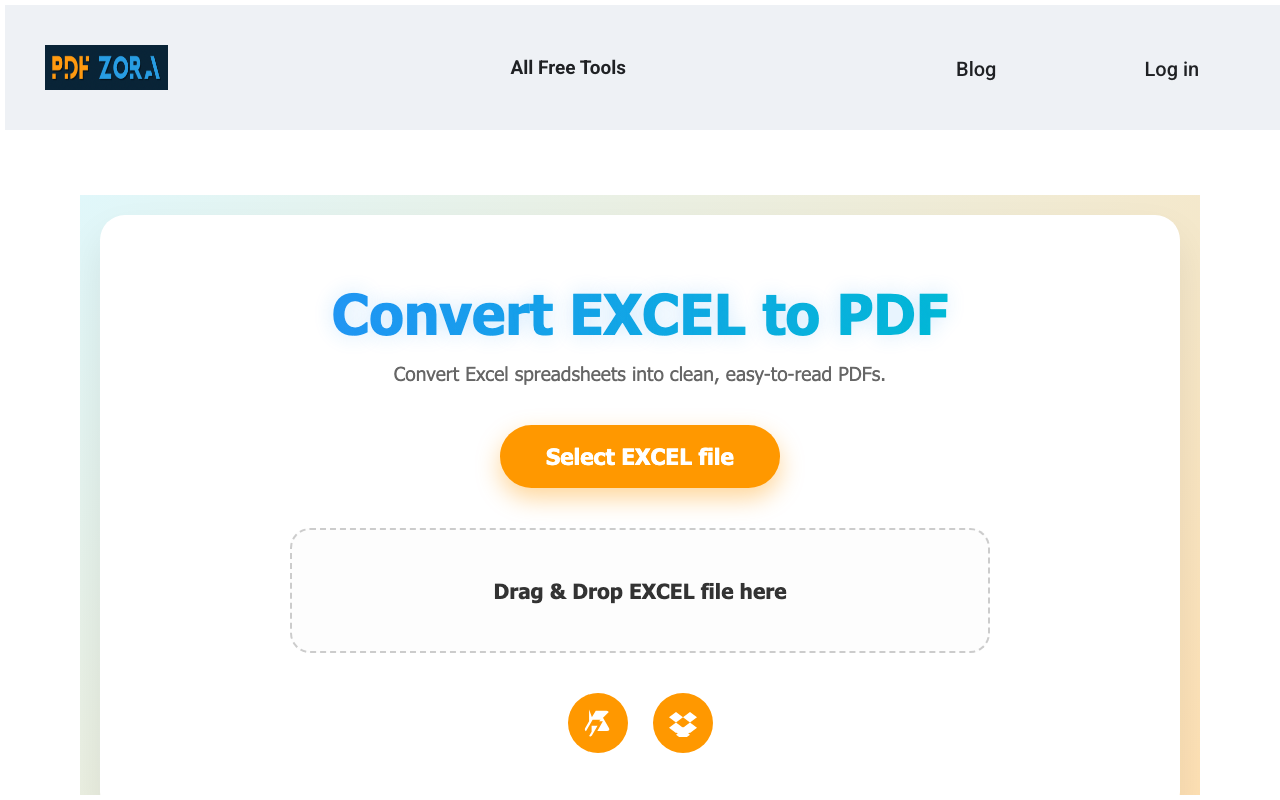
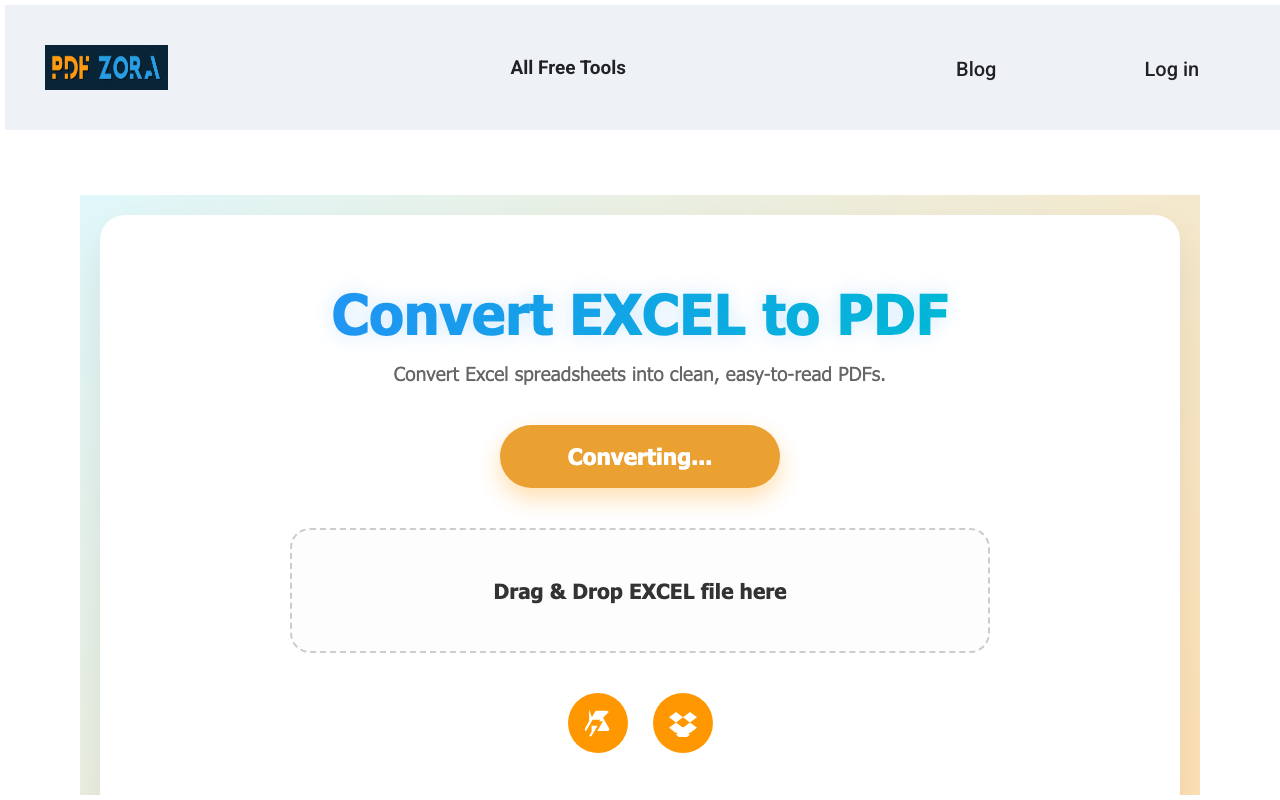
Click the convert button
Our tool processes your spreadsheets, optimizing layout and preserving formulas as clear data.
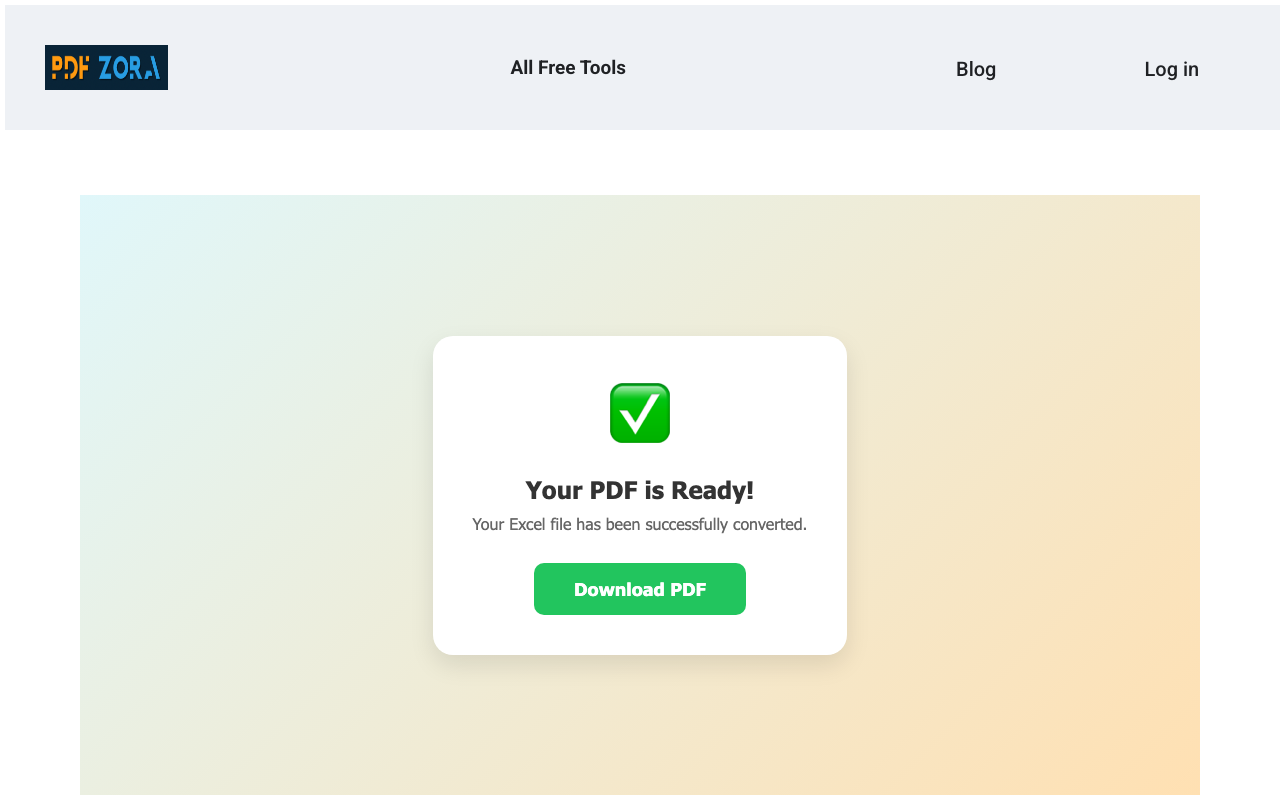
Download the PDF
Once conversion is complete, save your new, professional PDF document directly to your device.
Supported Formats
We support a wide range of spreadsheet formats to ensure maximum compatibility:
- Input Formats: Microsoft Excel (XLS, XLSX), OpenOffice (ODS), and CSV.
- Output Format: High-quality, portable PDF documents.
Why Use Excel to PDF on PDFZora?
PDFZora offers a premium conversion experience without the premium price tag. Unlike basic converters, our Excel to PDF tool is engineered for:
- Data Integrity: Ensures your tables, charts, and numbers don't shift or break during conversion.
- Professional Sharing: Send non-editable reports that look exactly as intended on any screen.
- Simplicity: No complex settings or technical skills needed—just upload and convert.
Key Features
- Formula Protection: Converts formulas to values, hiding your logic while keeping the data visible.
- Formatting Preservation: Maintains cell styles, borders, colors, and fonts precisely.
- Batch Processing: Convert multiple Excel spreadsheets at once to save time.
- Cross-Platform: Works flawlessly on Windows, Mac, Linux, iOS, and Android.
Excel to PDF Online vs. Offline Software
Why clutter your computer with heavy spreadsheet software when you can convert files online?
| Feature | PDFZora Online | Offline Software |
|---|---|---|
| Cost | 100% Free | Expensive Licenses |
| Installation | None | Required |
| Accessibility | Any Device | Single Device |
Why Online Tools Are Better for Most Users
Online tools like PDFZora remove the friction from file conversion. You don't need to worry about updates, compatibility, or disk space. Just open your browser, upload, and you're done. It's the modern way to manage documents.
Is It Safe to Use Online Tools?
Yes, absolutely. We use enterprise-grade security measures to ensure your data is handling with the utmost care. Using an online converter is as safe as checking your email or banking online.
Security & Protection
Your privacy is our top priority:
- SSL Encryption: All data transfers are encrypted via 256-bit SSL.
- Auto-Deletion: Files are automatically deleted from our servers after 60 minutes.
- No Access: No human ever views your documents; the process is fully automated.
Common Use Cases for Excel to PDF
- Financial Reporting: Share balance sheets and income statements that cannot be easily tampered with.
- Invoicing: Convert Excel invoice templates into clean, professional PDF bills for clients.
- Data Archiving: Save historical data in a universal format that doesn't require Excel to view.
Supported Devices and Browsers
PDFZora works seamlessly on:
- Operating Systems: Windows, macOS, Linux, iOS, Android.
- Browsers: Chrome, Safari, Firefox, Edge, Opera.
Frequently Asked Questions
Yes, PDFZora is 100% free. You can convert unlimited Excel spreadsheets to PDF without paying a dime or creating an account.
No. This tool is entirely cloud-based. You don't need to download or install any software on your computer.
Calculated values are preserved, but formulas are removed. The PDF will show the final data exactly as it appears in your spreadsheet.
Yes! We preserve your cell styles, borders, colors, fonts, and layout so your PDF looks professional and identical to your Excel file.
Most conversions happen in less than 5 seconds. Larger files with many sheets may take slightly longer.
Yes. Use our Batch Processing feature to select and convert multiple XLS or XLSX files at the same time.
Absolutely. We use 256-bit SSL encryption for file transfer and automatically delete your files from our servers after 60 minutes.
Yes! Check out our 'PDF to Excel' tool listed below to turn your PDF documents back into editable spreadsheets.
Why PDFZora is the #1 Excel to PDF Converter
At PDFZora, we understand the importance of your data. That is why we built an Excel to PDF converter that prioritizes accuracy and security above all else. Unlike other free tools that mess up your formatting or limit your file size, PDFZora gives you professional-grade results without the cost. Join thousands of satisfied users who trust PDFZora for their daily document needs. Conversion is fast, the quality is impeccable, and your privacy is guaranteed.
The Ultimate Guide to Excel to PDF Conversion
In today's digital workflow, the ability to seamlessly convert Excel spreadsheets into PDF documents is more than just a convenience—it is a necessity. Spreadsheets are excellent for data manipulation, calculations, and analysis, but they are poor vehicles for sharing. Formatting can shift between versions of Excel, fonts can go missing, and untrained users might accidentally alter sensitive formulas.
The PDF Standard: By converting your XLS or XLSX files to PDF, you are essentially "printing" your digital work into a immutable, universally viewable format. Whether your recipient is viewing the file on a desktop, a tablet, or a smartphone, they will see exactly what you intended them to see. This is critical for financial statements, invoices, and legal reports where exactness is legal requirement.
Advanced Protection: Sending an Excel file reveals your entire workbook history, hidden sheets, and proprietary formulas. A PDF flattens this information, presenting only the final visual output. This adds a layer of security, protecting your intellectual property and business logic from prying eyes.
Long-Term Archiving: Software standards change. The Excel version you use today might be obsolete in ten years. PDF (Portable Document Format) is an ISO standard designed for long-term document preservation. Converting your important spreadsheets to PDF ensures they will remain readable for decades to come, regardless of how technology evolves.
Eco-Friendly: By mastering digital document conversion, you reduce the need for printing physical copies. Reviewing, signing, and sharing PDFs digitally significantly lowers your carbon footprint, contributing to a greener, more sustainable office environment.
Start streamlining your document workflow today with PDFZora's reliable, free, and secure Excel to PDF converter.
Explore More Tools
Word to PDF
Convert Microsoft Word documents to professional PDF files.
PDF to Excel
Convert PDF documents back to editable Excel spreadsheets.
PDF to PowerPoint
Turn PDF files into editable PowerPoint presentations.
JPG to PDF
Turn your images into high-quality PDF documents instantly.
Compress PDF
Reduce the file size of your converted PDFs.
Merge PDF
Combine multiple PDFs into one unified document.
Try Excel to PDF Online – Best Free Converter
Experience the fastest, most secure way to convert XLS to PDF. No watermarks, no sign-up, just perfect high-quality documents every time. Join millions of users who trust PDFZora for their daily document workflows.
Convert to PDF Now